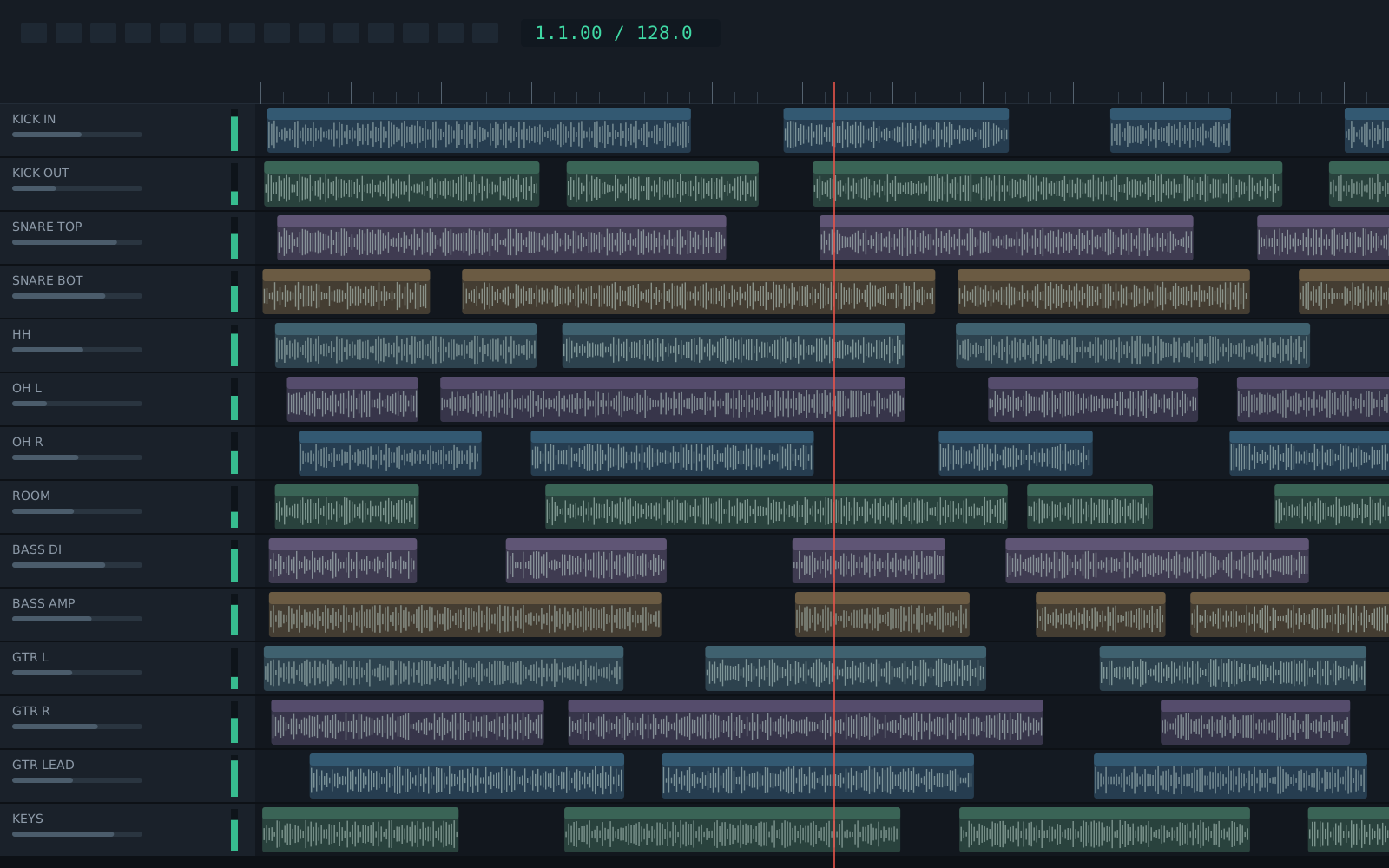
Stop guessing what is wrong with your mix.
Mixroadie analyses your tracks and proposes a plan to clean up, balance and master your mix. Every change is explained. You choose what to apply.
macOS and Windows · $69 once, 7-day free trial
Say what you hear. See what to change.
-
the kick sounds boxy
2 changes on Kick In
- Tame the boxiness EQ · 780 Hz · −3.4 dB
- Clear out low rumble HPF · 32 Hz
Apply -
the vocal keeps getting buried under the guitars
3 changes across 3 tracks
- Make room for Lead Vox MASK · Gtr L · 2.7 kHz · −2.4 dB
- Bring the lead vocal forward LEVEL · Lead Vox · −4.2 → −2.8 dB
+1 more on Gtr R
Apply -
the vocal sounds harsh and spitty
2 changes on Lead Vox
- Tame harsh S sounds DE-ESS · 6.6 kHz · −4 dB
- Cut a harsh resonance EQ · 3.1 kHz · −2.6 dB
Apply -
some words jump out, others I can barely hear
2 changes on Lead Vox
- Even out the performance COMP · 3.4:1 · −18 dB
- Even out the loud and quiet parts RIDE · 14 moves
Apply -
it sounds fine in my headphones but muddy in the car
2 changes across 2 tracks
- Tame the mud EQ · Piano · 310 Hz · −2.1 dB
- Tame the mud EQ · Rhythm Gtr · 280 Hz · −1.8 dB
Apply -
my drums sound small
2 changes across 2 tracks
- Add parallel punch under the kit BUS · Drum Bus · 10:1 · −18 dB
- Bring out the presence AIR · Snare Top · +1.5 dB · 4 kHz
Apply -
master this to −9 LUFS
4 changes on Master bus
- Glue the mix together COMP · 2:1 · −21 dB
- Bring it up to −9 LUFS LIMIT · +7.5 dB drive · −1.3 dB ceiling
+2 more
Apply -
make this sound like a punk record
9 changes across 5 tracks
- Add parallel punch under the kit BUS · Drum Bus · 10:1 · −18 dB
- Warmth for small speakers SAT · Bass DI · 30% · 45% wet
+7 more across 3 tracks
Apply -
tune the vocal please
I can't do this part of what you asked: pitch correction on the lead vocal.
What I can change: how loud something is; its tone; how compressed it is; its level consistency; pan; width; rumble; sibilance; drive; a reverb send; and a parallel drum-punch bus.
How it works
-
01
Ask
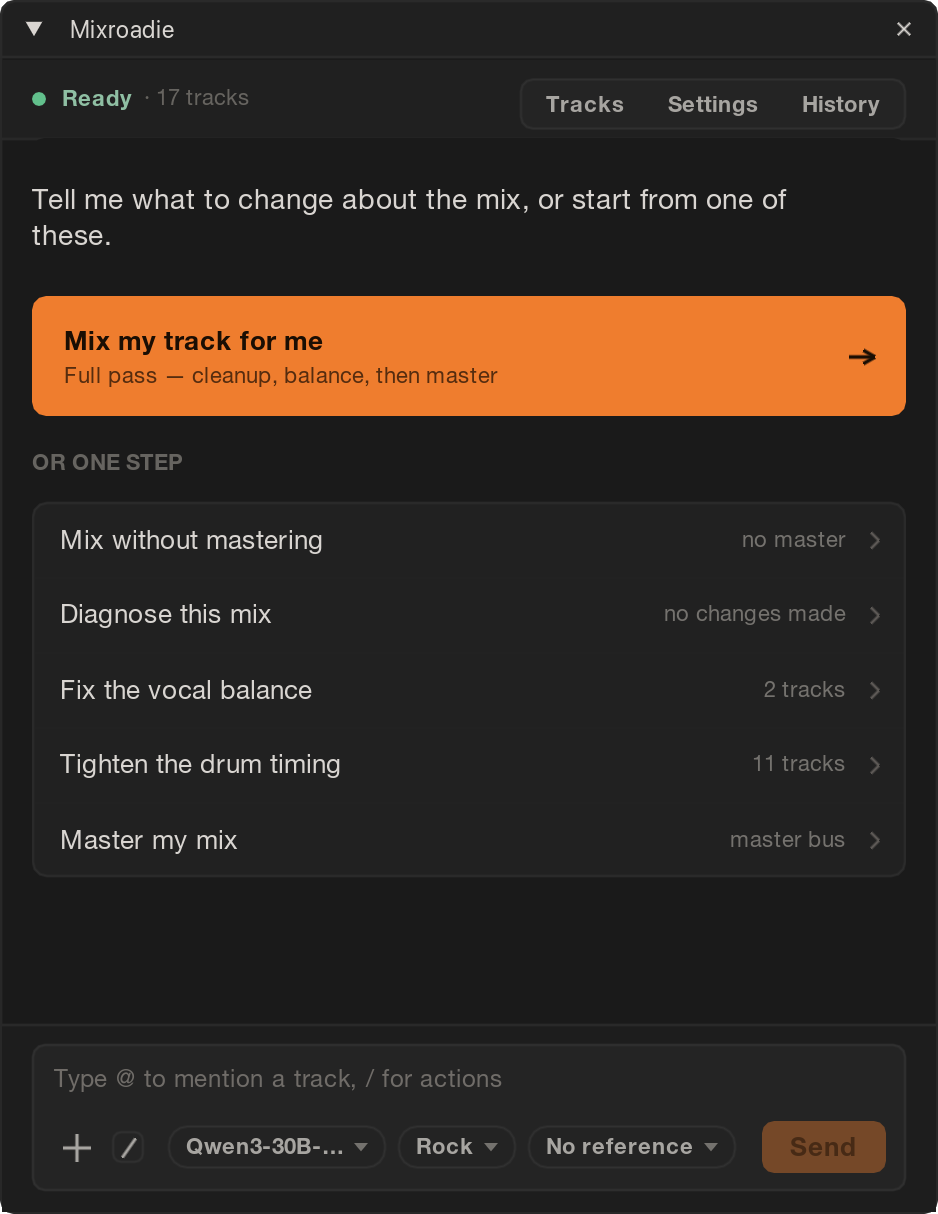
Describe what bugs you in plain words, or let it check the whole mix.
- No need to name a frequency or plugin. “The vocal sounds harsh” is enough.
- One click goes through every track: clean-up, balance, then master.
- Or point it at one track and leave the rest alone.
- Tell it your genre, or a song you want yours to sound like.
-
02
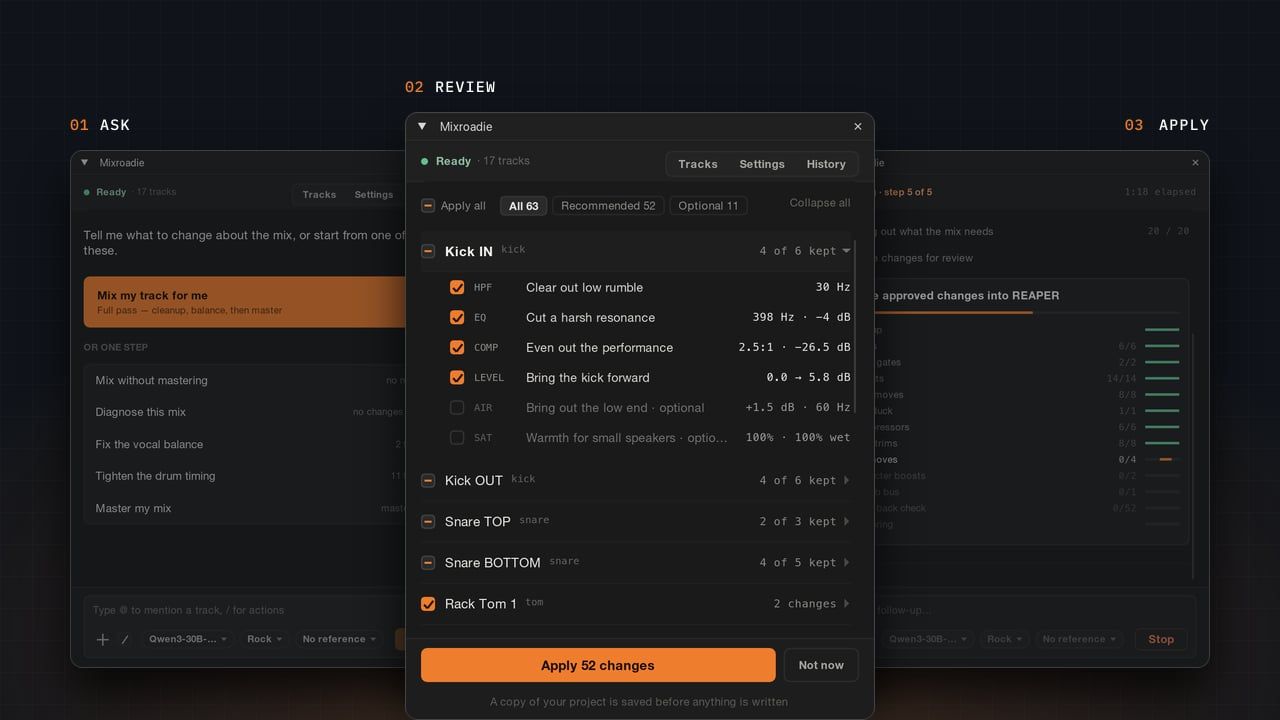
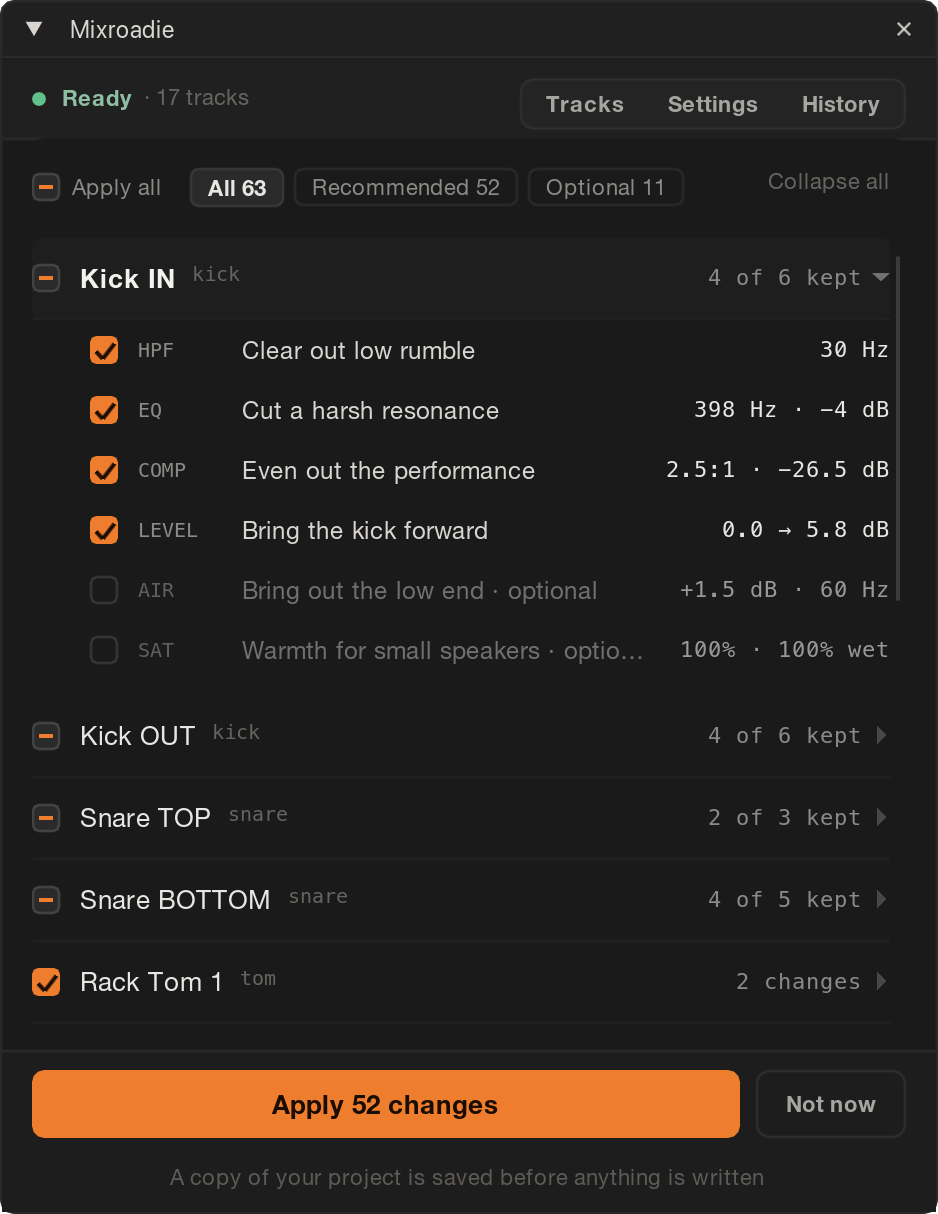
Review
See every proposed change and the reason for it before anything is applied.
- Each change says what problem it fixes, not just which setting moves.
- Untick anything you don’t want.
- Reverb, saturation and other matters of taste start unticked.
-
03
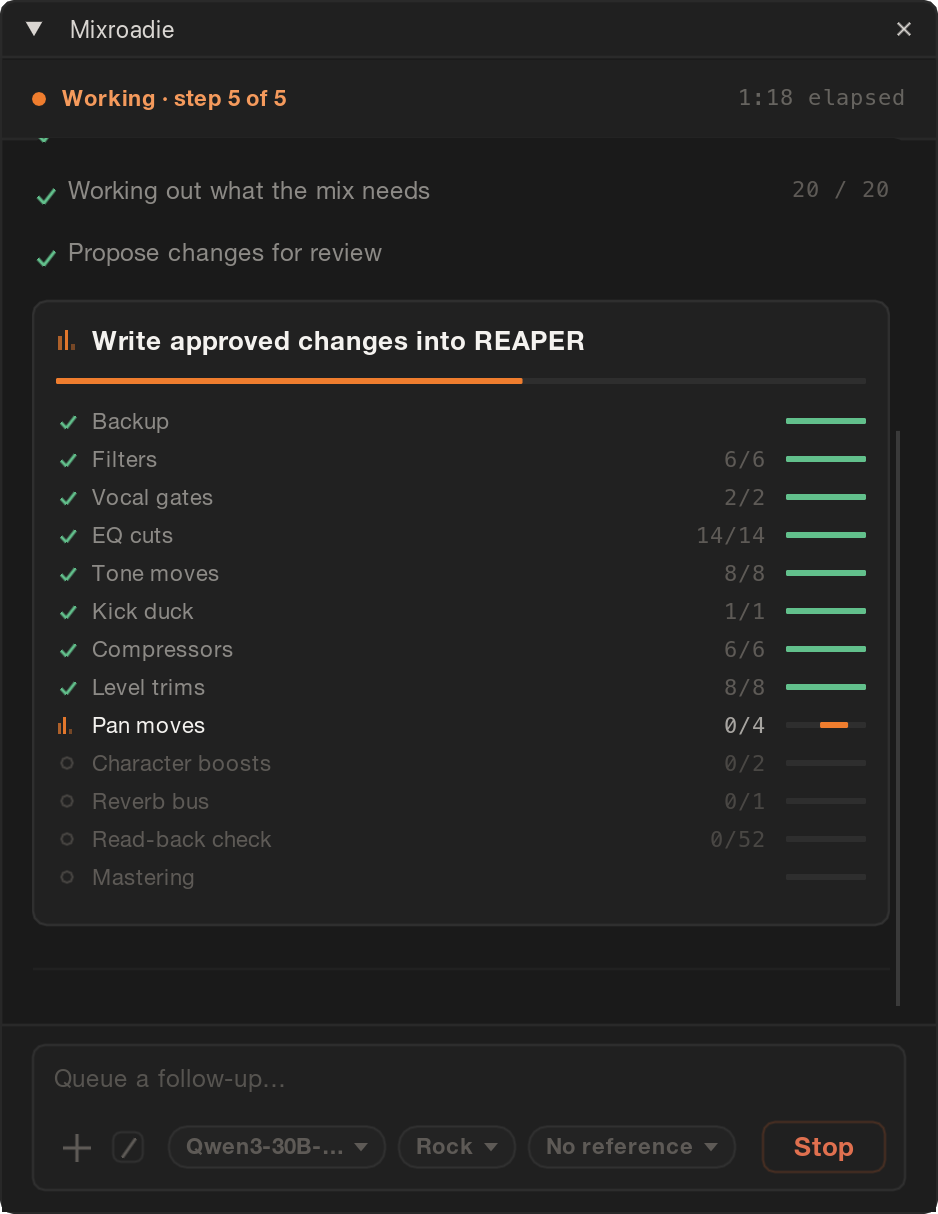
Apply
Hear the result in your own session and keep mixing from there.
- Your project is backed up first.
- Each change is checked after it is applied.
- It uses your DAW’s own plugins, so you can tweak, bypass or delete any change.
What Mixroadie does
- A quick starting point One click measures every track and builds a full mix plan for your song.
- Changes in plain words Say “the vocal sounds harsh” and get the settings that fix it.
- Finds measurable problems Rumble, harsh resonances, sibilance, phase issues and clipping.
- Explains every change Each move shows its reason, and nothing happens until you approve it.
- Stays editable It works with your DAW’s own plugins, so you can tweak any move afterwards.
What it doesn’t do
- Replace a proper mixing engineer It gets you further, faster — the taste and the final call are still yours.
- Fix low-quality or bad stems It points out clipping, noise and phase problems, but can’t restore a poor recording.
- Make the creative calls Reverb, saturation and other taste moves start unticked.
- Edit your arrangement Your song’s sections and parts stay where you put them.
Your audio stays on your computer.
-
Local AI
Runs offline after setup. No account needed; nothing leaves your computer.
Check system requirements -
Cloud AI (optional)
ChatGPT or Claude receives measurements, track names and your messages — never audio. You review the request and consent before anything is sent.
How local and cloud models compare -
Your Claude or ChatGPT app
Use Mixroadie from Claude Desktop, Claude Code or Codex on the plan you already pay for. Your app gets measurements and track names, never audio.
How it works
Does it work with your setup?
Runs on macOS and Windows.
Uses stock plugins. No paid plugin bundle required.
-

REAPER 6.83 or newer
Mixing, mastering, timing, tuning and repair in a docked panel.
Next on our list: Logic Pro, Cubase and Pro Tools. · get notified


FAQ
You’re about to let software touch a session you care about. Fair to want the details first.
What can’t it do?
No arrangement edits, and no hard-tuned autotune effect: vocal tuning moves whole notes onto pitch, on parts that sing or play one note at a time. It flags recording faults such as clipping, noise and phase cancellation, but cannot repair every source problem. Timing correction requires a take that follows the tempo grid.
Do I need mixing experience?
No. Describe what you hear, such as “the bass is too boomy”. Mixroadie suggests settings and explains why.
Does it work for my genre?
It checks rumble, harshness and uneven levels across genres. Tone and mastering guidance works best for rock, indie, metal and pop.
Which music styles does Mixroadie work with?
Mixroadie has measured targets for rock, indie, metal, pop, acoustic and electronic, which also cover styles such as punk, blues, folk, jazz, country and EDM. Hip-hop and R&B do not have a profile of their own yet, so those songs use the all-genre targets. With a reference track, any style works: Mixroadie aims at that record instead of a genre average.
Do I need a reference track?
No. Set a loudness target, or supply a reference to guide tone, loudness and dynamics.
What does it cost?
A one-time payment of $69, not a subscription, with a year of updates included and two computers per licence. You can try it free for 7 days on one song first. AI usage is separate: local models have no per-song API fee. With a cloud provider such as Claude or ChatGPT, budget around 1 to 2 cents in API usage for a full song mix with the models Mixroadie starts on. This is an estimate, not a fixed price: costs vary by provider, model and how much you iterate. Cloud usage is billed by the provider on your own API key. See pricing
Can I use it with my Claude or ChatGPT subscription?
Yes, from your AI app rather than the Mixroadie panel. Mixroadie works from Claude Desktop, Claude Code and OpenAI’s Codex, which run on your own Claude or ChatGPT plan, and from other apps that run local MCP servers, such as Gemini CLI, GitHub Copilot or Cursor. Your AI app makes the decisions, Mixroadie measures the song on your computer, and the moves you choose are applied in REAPER after a backup. You need no AI model in Mixroadie and no API key. The panel itself can’t sign in with a subscription: a cloud AI there needs your own API key. How it works · How to set it up
free 7-day trial
Try it on your own music.
Bring a song you’ve recorded. For REAPER on macOS and Windows. Free for 7 days on one song, then $69 once.
Download the free trial Buy a licence
Not on your setup yet?
Pick what you mix on; we’ll email once it works.
Free PDF, one sheet to print
The mixing cheat sheet.
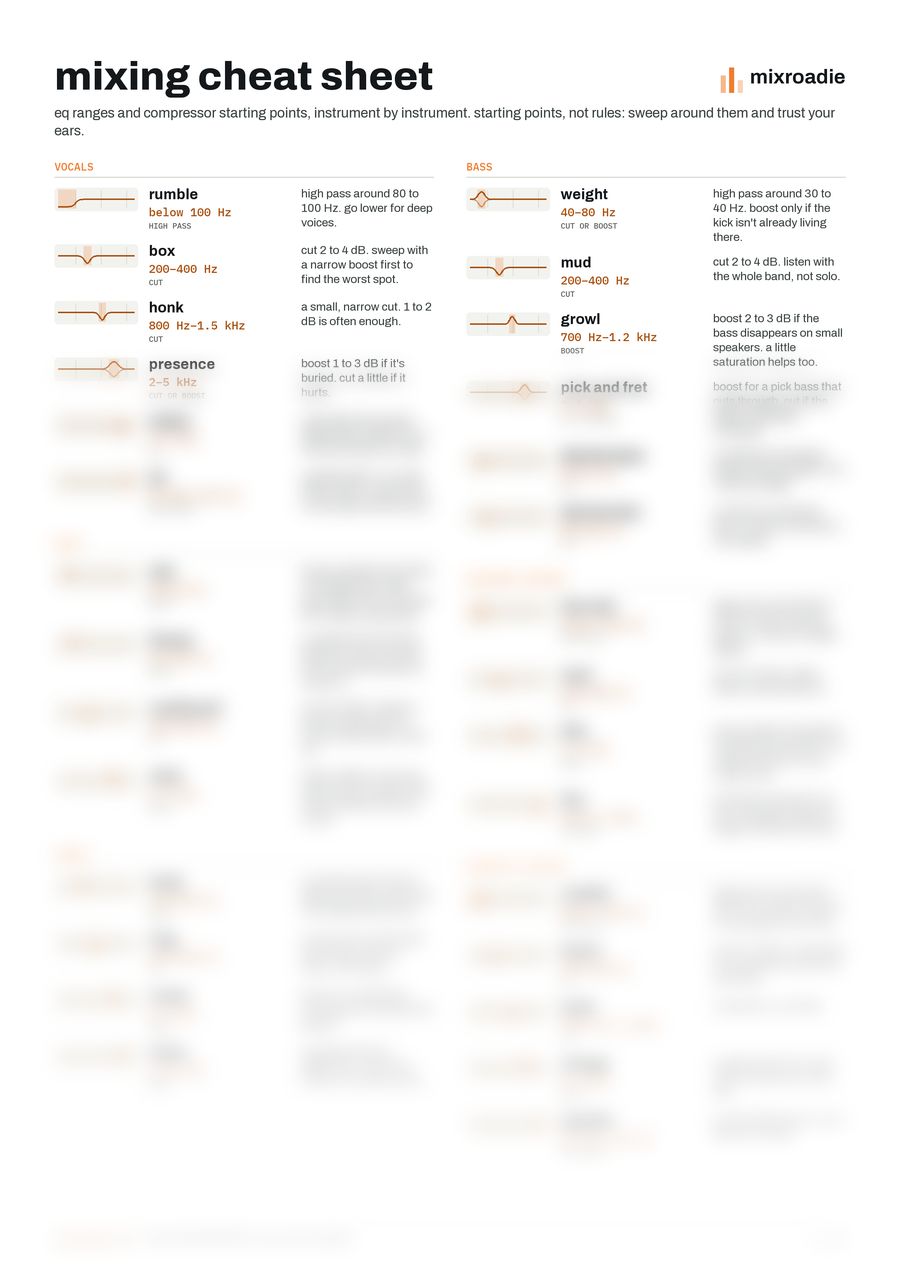
Every EQ range and compressor starting point from our mixing tips, for nine instruments, on one sheet next to your desk.
Get it by email